
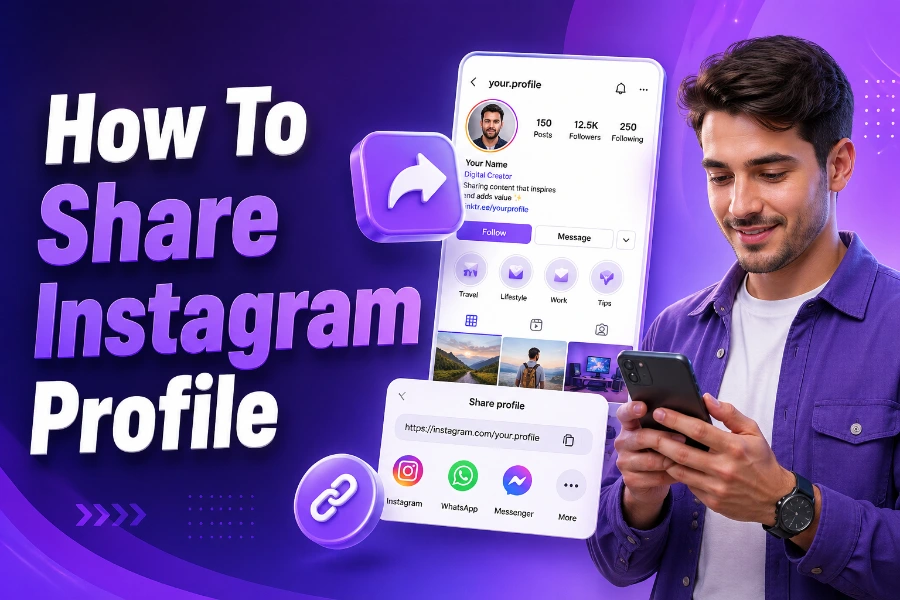
Instagram has become one of the most popular social media platforms in the world. Whether you want to promote your business, share your creative work, or connect with friends, your Instagram profile reflects your identity online. But how can you share your Instagram profile with others? Whether it’s for networking, marketing, or personal connections, knowing how to share your profile link is essential.
Instagram provides several ways to share your profile, and whether you’re a business or personal user, you’ll find the tools you need to boost your social media presence. Let’s dive into the most effective methods to share your Instagram profile.
Sharing Your Instagram Profile Link
One of the simplest ways to share your Instagram profile is to copy your profile link. If you’re using the Instagram app, this process is quick and easy. Simply go to your profile, tap the three-dot menu, and select “Copy Profile URL.” Once copied, you can paste it wherever you want—whether it’s in a message, an email, or even on your business cards.
To make this even easier, you can use tools like the Instagram profile viewer, which lets you view profiles, stories, images, and highlights in one place. With this tool, you can easily share your profile and view others’ profiles too, making it an excellent solution for businesses or influencers who need to monitor their engagement.
If you’re on a computer, you can copy your Instagram URL in your web browser by visiting your profile page and copying it directly from the address bar.
Sharing your Instagram link has never been simpler, whether for personal connections or professional networking. It’s an efficient way to introduce your work, content, or business to people.
Using Instagram’s Built-in Sharing Options
Instagram offers built-in sharing features that let you share your profile directly with others without copying and pasting URLs manually. This can be done via the app or the website. When you want to share your profile directly on Instagram, you can tap the “Share Profile” option, which provides you with easy access to send your link via Instagram Direct or to external messaging apps.
Another option is to share your Instagram profile on other social media platforms, such as Facebook or Twitter. Simply go to your profile, tap the three dots, and choose the social media option you want to use for sharing. By using Instagram’s sharing functionality, you can reach a wider audience without external tools.
Instagram also allows you to embed your profile link on websites, blogs, or digital business cards. By doing so, you make it easy for others to visit your profile with just one click. This method is especially useful for influencers, brands, and content creators who want to make their Instagram profiles easily accessible.
If you’re looking to track interactions and see how others are engaging with your content, tools like the Instagram image viewer can provide you with a convenient way to analyze user engagement while sharing your profile efficiently.
Sharing Your Instagram Profile on Business Platforms
For businesses, sharing an Instagram profile goes beyond sending a link through messages. To gain traction, companies often place their Instagram profiles on their websites, in email signatures, and in digital brochures. This strategy helps them attract more followers and boost brand visibility. Instagram is a powerful tool for businesses to engage with their audience, and showcasing your profile across platforms can increase your reach.
A simple way to share your Instagram profile on a website is by embedding it. Instagram lets you embed your profile or individual posts directly on a website. This is particularly useful for businesses that want to showcase their Instagram content while driving traffic to their Instagram page. Additionally, many digital marketing platforms allow you to add Instagram links to your email signature or newsletter for seamless sharing.
If you’re a business looking to increase engagement, sharing your profile directly on customer-facing platforms can open new avenues for customer interaction. You can also utilize tools like the Instagram follower viewer without an account to see others’ profiles without signing up.
Promoting Your Instagram Profile via QR Codes
One effective and innovative way to share your Instagram profile is by generating a QR code that links directly to your profile. This method is especially useful for offline promotions. You can create a QR code that links to your Instagram profile and place it on flyers, posters, business cards, and other printed materials. Anyone with a smartphone can scan the QR code and be instantly directed to your Instagram profile.
Instagram itself has embraced QR codes by allowing users to generate a unique Instagram code directly from the app. Simply go to your profile, tap the three horizontal lines in the top-right corner, and select “QR Code.” You can then save or share your Instagram QR code. This makes sharing your profile offline as easy as a quick scan.
Promoting your Instagram profile through QR codes adds a personal touch to your marketing materials and provides a way for people to connect with you digitally while on the go.
Sharing Your Instagram Profile in Email Signatures
Email signatures are another great place to share your Instagram profile. By adding a clickable Instagram link to your email signature, you ensure that every person who receives an email from you can easily access your profile. This is a great way to passively promote your Instagram without having to explicitly tell recipients.
To add your Instagram link to your email signature, simply edit your signature settings in your email client and include the Instagram link or even a small Instagram icon. You can use tools like an Instagram page viewer to preview your profile before sharing it, ensuring it’s optimized for sharing across platforms.
How to Share an Instagram Profile in Messages
For those who prefer sharing their profile directly with friends, clients, or followers, Instagram’s built-in messaging feature makes it incredibly easy. You can share your profile link within a conversation on Instagram Direct or other messaging platforms.
This is particularly useful for influencers and businesses looking to provide personalized communication while promoting their Instagram profiles. Additionally, this method helps you maintain more control over who sees your profile, making it easier to target specific people with your sharing efforts.
Conclusion
In summary, there are numerous ways to share your Instagram profile, including direct links, social media sharing, QR codes, and even email signatures. Each method can serve different purposes, depending on your needs. Whether you’re looking to grow your personal brand, boost your business’s social media presence, or simply share your profile with friends, these strategies offer efficient, effective solutions.
For businesses or users looking to track profile engagement, using tools like the Instagram viewer app can help monitor who’s interacting with your content while making the sharing process seamless. As Instagram continues to evolve, sharing your profile will become easier and more integrated into your digital communication strategies.
FAQs
How can I share my Instagram profile with others?
To share your Instagram profile, simply copy the profile URL from your Instagram app or website and paste it wherever you want to share. You can also use Instagram’s built-in sharing options for easier access across platforms.
Can I share my Instagram profile on other social media?
Yes, Instagram allows users to share their profile link directly to other social media platforms like Facebook, Twitter, and LinkedIn. You can also add your Instagram profile link to your bio on these platforms for better visibility.
How do I generate a QR code for my Instagram profile?
To generate a QR code for your Instagram profile, go to your profile, tap the three horizontal lines in the top-right corner, select “QR Code,” and then share or save the code for easy access to your profile.
Can I share my Instagram profile link via email?
Yes, you can easily share your Instagram profile link in an email. Simply copy your profile URL and paste it in the body of the email or add it to your email signature for easy access by recipients.
Is there a way to share my Instagram profile link without copying the URL?
You can share your Instagram profile link using the “Share Profile” option in the Instagram app. This allows you to send your link directly via Instagram Direct or through other messaging apps without needing to copy the URL manually.
How can I add my Instagram profile to my business card?
You can add your Instagram profile link to your business card by including a QR code that links to your profile or by adding your Instagram handle directly. This makes it easy for others to connect with you digitally.
How do I share my Instagram profile link privately?
To share your Instagram profile privately, send your profile URL directly to someone via private messages on Instagram or through other messaging apps like WhatsApp or Facebook Messenger, ensuring only the intended person sees it.
Can I embed my Instagram profile on my website?
Yes, you can embed your Instagram profile or individual posts on your website using Instagram’s embedding feature. This allows visitors to view your content directly on your site while linking back to your Instagram profile.
How can I track who has visited my Instagram profile?
Currently, Instagram does not provide a feature that lets you see who has visited your profile. However, you can view who interacts with your content, such as likes, comments, and story views, through Instagram’s insights for business accounts.
Is there an easy way to share Instagram posts along with my profile?
Yes, when sharing your Instagram profile, you can also share individual posts directly from the app. Simply tap the three dots on a post and select “Copy Link” to share the specific post along with your profile link.